Can You Run an Expert Advisor on a Phone?
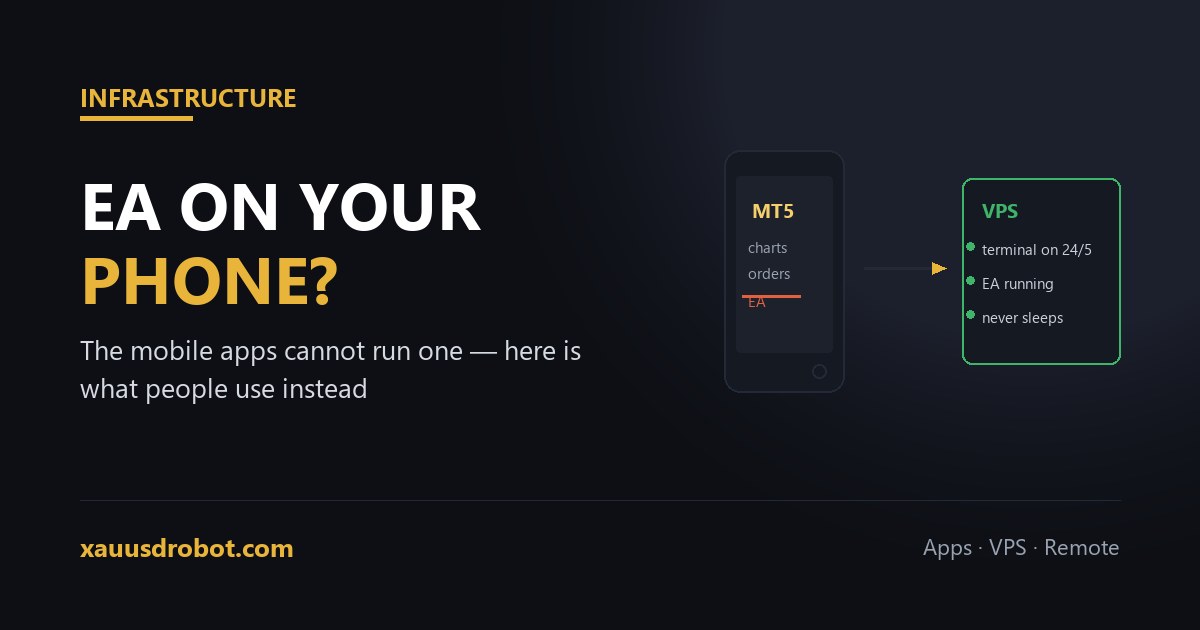
TL;DR No. The MetaTrader 4 and MetaTrader 5 mobile apps, on both iOS and Android, cannot run Expert Advisors. This is not a setting you have missed — the mobile apps ship without the MQL execution engine entirely, so there is nowhere for an EA to run. The apps are for monitoring and manual orders only. To run an EA around the clock you need the Windows desktop terminal running somewhere that stays on: a VPS (the usual answer), a broker-hosted virtual server, or a home PC left on with sleep disabled. You can still watch and close EA trades from your phone while the EA itself runs elsewhere.
The short answer, and why it is a hard no
Every few weeks someone asks which button enables Expert Advisors in the MetaTrader mobile app. There is no button. The mobile builds of MT4 and MT5 do not include the MQL runtime — the component that compiles and executes advisor code. Without it, an .ex4 or .ex5 file has nothing to run inside.
This is a deliberate platform decision rather than an oversight. Running arbitrary compiled code is exactly the kind of thing Apple's and Google's store policies restrict, and a phone that sleeps, loses signal and gets killed by the OS to save battery is a poor host for something that must react to price at 3am.
So the honest framing is not “how do I enable it” but “where should the EA actually live, given I want to check it from my phone?”
What the mobile apps genuinely do well
Dismissing them entirely would be wrong. Once your advisor is running elsewhere, the phone app is a good companion:
- Watching open positions the EA has taken, with live profit and loss.
- Closing a trade manually if something goes wrong — a genuinely useful emergency control.
- Checking account history and balance without opening a laptop.
- Placing manual orders, including setting or moving a stop.
What it will not do is run the strategy. Log into the same account from the app and you see everything the EA is doing; you simply are not the one hosting it.
The three ways people actually solve this
| Option | What it costs | Honest assessment |
|---|---|---|
| Forex VPS | Roughly $5–$30/month | The standard answer. A Windows machine in a data centre near your broker, on permanently. Set it up once and check from the phone. |
| Broker-hosted VPS | Often free above a balance or volume threshold | Convenient and usually adequate. Check whether it stays free if your activity drops. |
| Home PC left on | Electricity, plus your attention | Works, but a Windows update, a power cut or the machine sleeping stops the advisor without telling you. |
For anything running unattended on real money, the VPS route is the one worth the money — the trade-offs and the specs that matter are in the VPS guide.
What about Android emulators and remote desktop?
Two workarounds circulate, and both deserve a straight answer.
Remote desktop into a VPS from your phone. This genuinely works — apps like Microsoft Remote Desktop let you view and control the Windows terminal from a handset. But note what is happening: the EA is still running on the VPS. The phone is a screen, not the host. That is a perfectly good setup, and it is the closest thing to “running an EA from my phone” that exists.
Running Windows MetaTrader inside an Android emulator. This does not work in any practical sense. Emulators run Android apps, and the Android app is the one without the MQL engine. Attempts to run the Windows terminal through compatibility layers on a phone are unstable and lose connection constantly, which is the opposite of what unattended trading needs.
Setting it up so the phone is enough
- Put the terminal on a VPS and install the advisor there, following the normal setup steps.
- Confirm it is running — smiley on the chart, Algo Trading green, no errors in the Experts tab. If it is attached but idle, work through the troubleshooting list.
- Log in on the phone with the same account credentials. You now see every position the EA opens.
- Set price alerts in the mobile app rather than watching it. The point of automation is not having to.
- Keep remote desktop installed for the rare occasion you need to change a setting or stop the advisor.
One habit worth building: check the account from the phone once a day, not once an hour. Software that trades a defined ruleset does not need supervision, and the most common way a working system fails is a human intervening during a drawdown it was built to survive.
Questions we get
Can I run an EA on the MT4 or MT5 mobile app?
No. The mobile apps have no MQL engine, so EAs cannot run in them. They are for monitoring and manual trades.
Is there any way to run an EA without a computer?
Yes, a VPS runs the terminal in a data centre. Your phone then monitors it through the normal app.
Can I use remote desktop to run an EA from my phone?
Remote desktop lets you control a PC or VPS from your phone, but the EA runs on that machine, not the handset.
Will an Android emulator let me run MetaTrader EAs?
No. Emulators run the Android app, which has no EA support, and Windows compatibility layers are too unstable.
Can I at least close EA trades from my phone?
Yes. Log in to the same account and you can see and close any position the EA opened, or adjust its stop.
Does the EA keep trading if my phone is off?
Yes — execution happens on the VPS or PC. The phone is irrelevant to whether trades are placed.
The verdict
The answer is no, and the reason is structural rather than fixable: the mobile apps ship without the engine an advisor needs. What people actually build is a VPS running the terminal, with the phone as a window onto it — which delivers everything the original question was really asking for, minus the expectation that a handset should be responsible for trades placed at three in the morning.
Want the EA running without leaving a PC on?
Tell us your setup and we will walk you through putting it on a VPS, including which specs are actually worth paying for.
💬 Talk to Us on TelegramMore from the lab
Risk & affiliate disclosure: Educational content only, not financial advice. Trading gold (XAUUSD), forex and CFDs carries substantial risk of loss; a large majority of retail CFD accounts lose money. No results are guaranteed. We may earn a commission if you open an account through partner links, at no extra cost to you — this funds the free EA. See our Affiliate Disclosure.