Running MetaTrader and an EA on a Mac
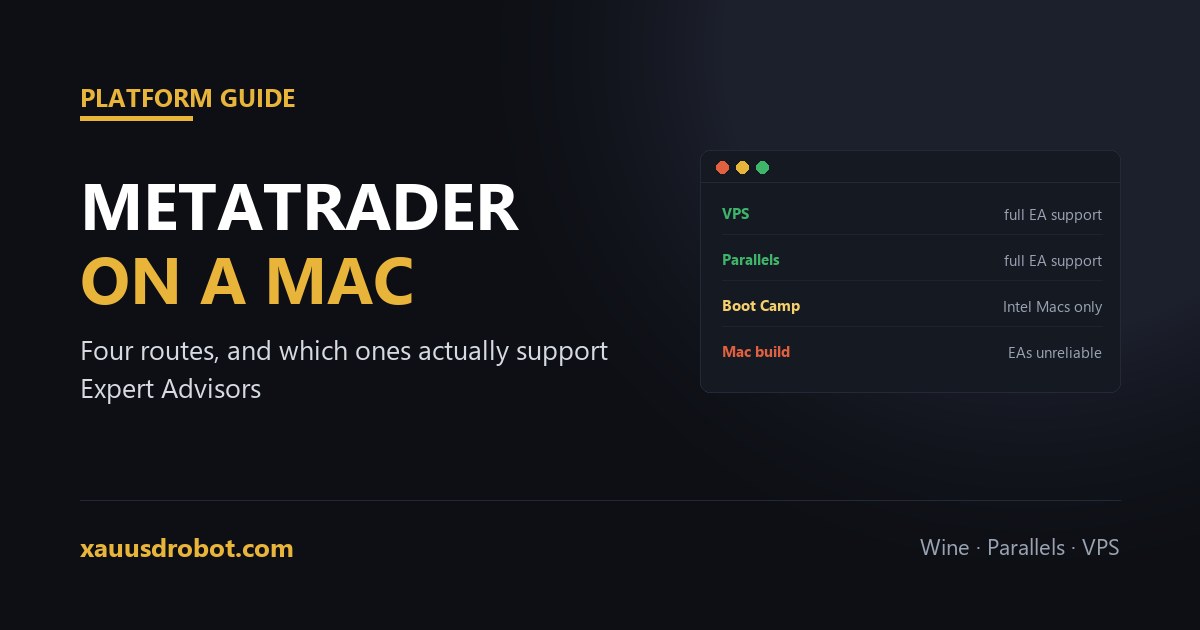
TL;DR There are four routes, and they are not equal. 1) Broker Mac build — easiest, but many are Wine wrappers where EAs behave inconsistently. 2) A VPS — the most reliable for automation, and it works identically on any Mac including Apple Silicon. 3) Parallels — runs real Windows, EAs work properly, costs a licence plus a Windows key. 4) Boot Camp — only on older Intel Macs; Apple Silicon removed it. If the point is running an EA unattended, the VPS is the answer: the Mac then becomes a screen rather than the host, which is what you wanted anyway.
Why this is more awkward than it should be
MetaTrader is a Windows application. Everything on macOS is therefore a translation layer of some kind, and translation layers vary in how faithfully they reproduce the parts an Expert Advisor depends on — file access, timers and the MQL runtime.
For manual trading the differences rarely matter. For automation they matter a great deal, because an EA that silently fails to read its settings file or misfires a timer produces wrong behaviour rather than an obvious error.
Apple Silicon sharpened the problem. The M-series transition removed Boot Camp, so the old “just install Windows natively” answer no longer exists on any recent Mac.
The four options, compared honestly
| Route | EAs | Cost | Verdict |
|---|---|---|---|
| Broker's Mac build | Unreliable | Free | Fine for charts and manual orders. Test any advisor carefully — most are Wine wrappers. |
| VPS | Full support | $5–$30/mo | The recommended route for automation. Runs whether or not the Mac is on. |
| Parallels Desktop | Full support | Licence + Windows | Genuine Windows. Works well, but only while the Mac is awake. |
| Boot Camp | Full support | Free | Intel Macs only. Not available on Apple Silicon. |
The broker Mac build, and where it bites
Many brokers offer a “MetaTrader for Mac” download. Some are genuine ports; most are the Windows terminal bundled with a compatibility layer. They install cleanly and charts work, which is why the problems surface later.
Two failure modes recur with advisors. The first is file paths: preset files and any data an EA writes may end up somewhere the wrapper maps differently, so a .set file that loads on Windows quietly does not appear. The second is timing: some wrappers handle MQL timer events imprecisely, which matters for anything that acts on a schedule.
If you go this route, run the advisor on demo for a full week and compare its behaviour against what the same settings do in a backtest. Discrepancies show up quickly.
Why a VPS is usually the right answer anyway
Step back from macOS for a moment. An EA is meant to run continuously — through the night, over the weekend gap, while you are away from the machine. A laptop, of any brand, is a poor host for that: it sleeps, it moves between networks, it restarts for updates.
So the Mac question and the automation question have the same answer. Put MetaTrader on a VPS, connect to it from the Mac with Microsoft Remote Desktop, and the operating system on your desk stops being relevant. The advisor keeps running with the lid closed, and the same account can be monitored from a phone.
This also sidesteps the Apple Silicon problem entirely, since nothing needs to run locally.
If you would rather keep it on the machine
Parallels Desktop is the practical local option on Apple Silicon. It runs Windows on ARM, and the MetaTrader terminal runs inside that with full advisor support. Budget for the Parallels licence plus a Windows licence, and give the virtual machine enough memory that the terminal is not fighting macOS for it.
Boot Camp remains a genuinely good option on an Intel Mac, because Windows runs natively with no translation at all. If you have one, it is the cheapest full-support route. It simply does not exist on M-series hardware.
Either way, the same caveat applies: the advisor only runs while the Mac is awake and connected. That is fine for testing and for supervised sessions, and unsuitable for a strategy expected to trade unattended.
A sensible sequence
- Learn on the broker's Mac build. Free, quick, fine for charts and getting familiar with the platform.
- Test the advisor on demo there, and watch for missing preset files or odd timing.
- Move to a VPS before funding it. That is the point at which reliability stops being optional.
- Keep the Mac as the control surface — remote desktop in when you need to change something.
Questions we get
Does MetaTrader work on a Mac?
Yes — via a broker Mac build, Parallels, Boot Camp on Intel Macs, or a VPS you connect to remotely.
Can I run an Expert Advisor on a Mac?
Yes with Parallels, Boot Camp or a VPS. Wine-based Mac builds can mishandle file paths and timers.
Does MetaTrader work on Apple Silicon M1, M2 and M3?
Yes, but Boot Camp is unavailable. Use Parallels, a broker Mac build, or a VPS on Apple Silicon.
Why does my EA not load its settings file on a Mac?
The wrapper maps the data folder differently. Reach it via File then Open Data Folder inside the terminal.
Is a VPS better than Parallels for running an EA?
For unattended trading yes — Parallels stops when the Mac sleeps, a VPS keeps running.
Can I use the Mac App Store version of MetaTrader?
Official apps were removed years ago. Use the build your own broker provides rather than third-party listings.
The verdict
Running MetaTrader on a Mac is straightforward; running an Expert Advisor reliably on one is a different question, and the honest answer is that the Mac should probably not be the host at all. Use the broker build to learn on, then move the advisor to a VPS before real money is involved — at which point the operating system on your desk stops mattering, which is the outcome you were looking for.
On a Mac and not sure which route to take?
Tell us whether it is Intel or Apple Silicon and whether you plan to trade unattended, and we will point you at the setup that fits.
💬 Talk to Us on TelegramMore from the lab
Risk & affiliate disclosure: Educational content only, not financial advice. Trading gold (XAUUSD), forex and CFDs carries substantial risk of loss; a large majority of retail CFD accounts lose money. No results are guaranteed. We may earn a commission if you open an account through partner links, at no extra cost to you — this funds the free EA. See our Affiliate Disclosure.