Preset Files: How .set Actually Works in MetaTrader
TL;DR A .set file is a plain text list of an Expert Advisor's input values — nothing more. It stores settings, not the strategy. Put it in MQL5/Presets (MT5) or MQL4/Presets (MT4) via File → Open Data Folder, then load it from the Inputs tab of the EA dialog using the Load button. The step most people miss: after loading you must click OK, and the EA has to be re-attached for the new values to take effect. A preset built for a different balance, broker or symbol can be actively unsafe on yours — the lot sizes and stop distances inside it were chosen for someone else's account.
What a .set file actually contains
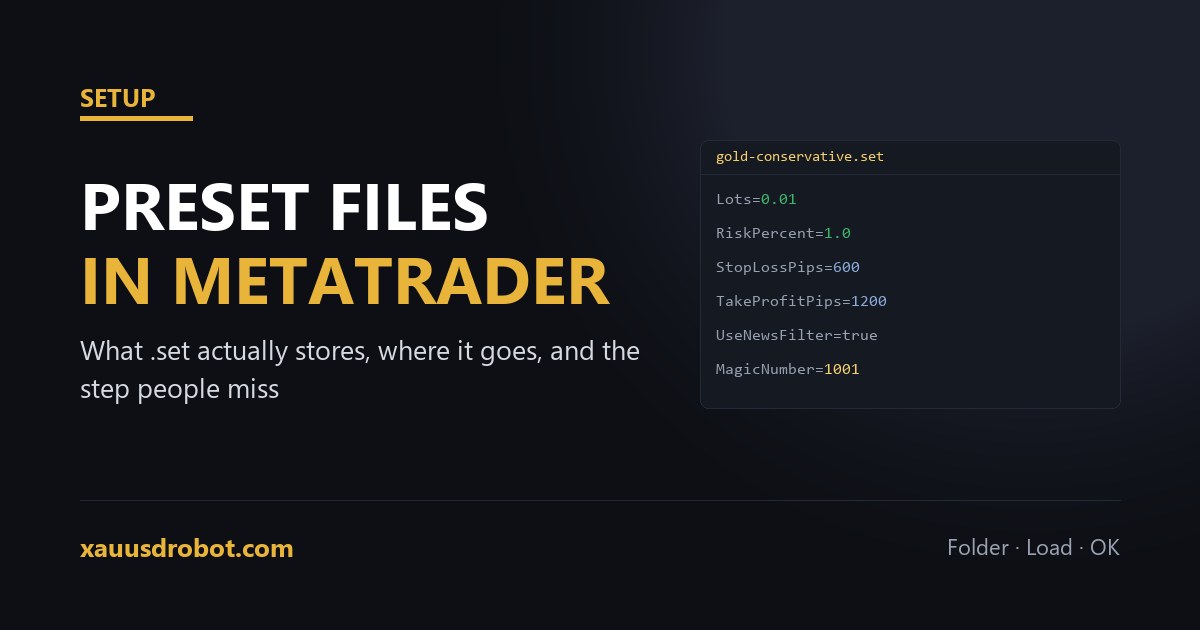
Open one in Notepad and the mystery evaporates. It is a plain text file, one line per input, in the form InputName=value. That is the entire format.
This matters because of what it means a preset cannot do. It cannot change the strategy, add a filter the EA does not have, or fix a system that does not work. It sets the values of switches that already exist in the code. A preset described as a “profitable configuration” is a list of numbers — useful, but not a different product.
It also means you can read one before you run it. If a preset arrives from a stranger, open it and look at the risk inputs first: lot size, risk percentage, whether a stop-loss input is set to zero. Thirty seconds of reading has saved a lot of accounts.
Where the file has to go
MetaTrader will not find a preset sitting in your Downloads folder. There is exactly one correct location, and it differs by platform only in the folder name:
| Platform | Path |
|---|---|
| MT5 | File → Open Data Folder → MQL5 → Presets |
| MT4 | File → Open Data Folder → MQL4 → Presets |
Always reach the folder through File → Open Data Folder inside the terminal itself rather than browsing to Program Files. If you run more than one broker's terminal, each installation has its own data folder, and putting the preset in the wrong one produces the confusing situation where the file exists but the platform cannot see it.
Restarting the terminal after copying the file is not strictly required, but it costs nothing and removes one variable when something does not appear.
Loading a preset, and the step people miss
- Drag the EA onto a chart, or right-click the running EA and choose Properties (F7).
- Open the Inputs tab.
- Click Load at the bottom of the dialog and select the .set file.
- The values in the list change. Click OK.
Step four is where it goes wrong. Loading the file populates the dialog; it does not commit anything. Closing with Cancel, or with the window's X, discards every value you just loaded, and the EA carries on with its previous settings while you believe the preset is running.
The way to confirm it took is to reopen Properties and check two or three distinctive values against the file. On a live account that thirty-second check is worth doing every time.
Saving your own
The Save button next to Load writes the current input values out to a .set file. This is more useful than it first appears:
- Before changing anything. Save the working configuration first. If a change makes things worse, you can return to a known state instead of reconstructing it from memory.
- Per account. A configuration that suits a $500 account is not the one for a $5,000 account. Name them accordingly.
- Before reinstalling. A platform reinstall or a move to a VPS wipes the data folder. A saved preset turns a rebuild into a two-minute job.
Name files so the future version of you understands them: gold-conservative-500usd.set tells you something; set1.set does not.
Why someone else's preset may not suit your account
This is the part that costs money, and it is rarely explained when a preset is shared.
A preset contains position sizing. If it uses a fixed lot — say 0.10 — that number was chosen against a specific balance. Applied to an account a tenth of the size, the same file risks ten times as much per trade. Nothing warns you; the EA simply does what it was told.
Three other things travel badly:
| What differs | Why the preset breaks |
|---|---|
| Broker symbol name | A preset referencing XAUUSD does nothing on a chart labelled XAUUSD.m |
| Spread and execution | Stop and target distances tuned on a raw-spread account can be marginal on a standard one — see what gold's spread really costs |
| Account leverage | Margin per position changes, so the same lot size may not be openable at all |
The safe procedure is unchanged from any other setting change: load the preset on demo first, on your own broker, and watch it for a full session before it touches funded money.
When a preset is the wrong fix
Presets get reached for when an EA is not behaving, and they are usually the wrong tool for that job. If the advisor is placing no trades at all, no configuration file will help — that is a setup problem, and the causes are listed in the troubleshooting checklist.
If the advisor is trading but losing, a different preset changes the numbers, not the edge. Swapping presets after a losing week is the automated equivalent of moving a stop-loss under pressure: it feels like action and it replaces a tested configuration with an untested one. The honest response is to test the alternative properly before running it, on the same broker and a long enough period to mean something.
Questions we get
What is a .set file in MetaTrader?
A plain text list of an EA's input values. It stores settings only and cannot change the strategy itself.
Where do I put a .set file in MT4 or MT5?
File → Open Data Folder → MQL5/Presets on MT5, or MQL4/Presets on MT4. Use the terminal's own menu, not Program Files.
How do I load a preset onto an Expert Advisor?
F7 → Inputs tab → Load → pick the file → click OK. Cancelling discards the values you just loaded.
Why is my preset not showing in the Load dialog?
It is in the wrong data folder. Copy it into the terminal's own MQL4/MQL5 Presets folder and restart.
Can I use someone else's preset file?
Yes, but read the risk inputs first — lot sizes were chosen for someone else's balance. Test on demo before funding it.
Do I need to restart MetaTrader after loading a preset?
No — but you must click OK, and re-attach the EA. Restart only after copying a new file into the Presets folder.
The verdict
A preset is a list of numbers, and treating it as anything more is where the trouble starts. Put it in the right folder, load it from the Inputs tab, click OK, then verify two values against the file. Read any preset that arrives from someone else before you run it, and remember that its lot sizes were chosen against a balance that is probably not yours.
Not sure a preset suits your account?
Send us the .set file and your balance. We will tell you what the risk inputs actually mean at your account size.
💬 Talk to Us on TelegramMore from the lab
Risk & affiliate disclosure: Educational content only, not financial advice. Trading gold (XAUUSD), forex and CFDs carries substantial risk of loss; a large majority of retail CFD accounts lose money. No results are guaranteed. We may earn a commission if you open an account through partner links, at no extra cost to you — this funds the free EA. See our Affiliate Disclosure.